
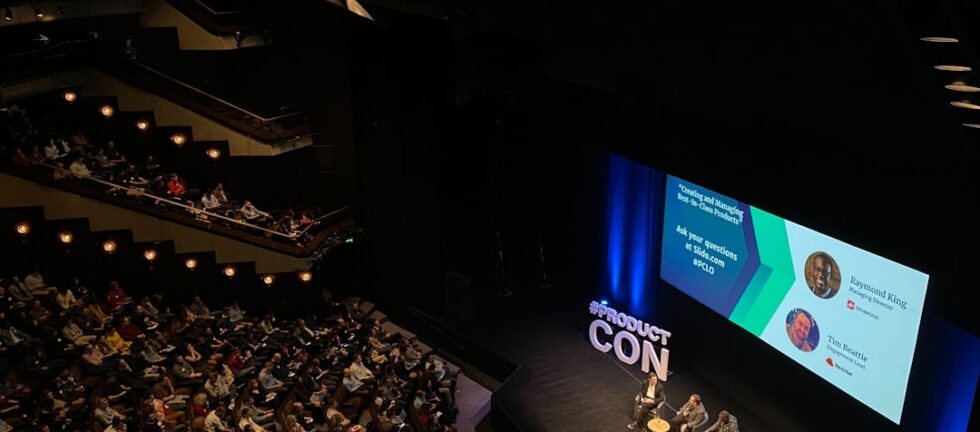
An accessible event allows more people to hear, see, understand and participate in the program.
Accessibility is sometimes treated as a registration or venue responsibility, but audiovisual planning plays an equally important role. Microphones, captions, screens, lighting, presentation content, streaming platforms and room layouts all influence whether attendees can fully engage.
The most effective approach is to incorporate accessibility into the production plan from the beginning.
Ask About Accommodation Needs Early
Include an accessibility statement and accommodation-request process in event communications and registration.
- Live captioning
- ASL interpretation
- Assistive-listening devices
- Accessible presentation materials
- Reserved seating
- Remote-participation options
- Language interpretation
- Audio description
- Mobility access
Avoid assuming what an attendee needs. Establish a clear process for receiving requests and assign someone to coordinate the response with the venue and production team.
Plan Live Captions Carefully
Captions support people who are deaf or hard of hearing, but they can also help attendees understand technical terminology, follow speakers with different accents and remain engaged in acoustically challenging spaces.
- Will captions be automated or produced by a professional captioner?
- Where will captions appear?
- Will captions be incorporated into the primary presentation screen or displayed separately?
- Do virtual attendees also need captions?
- Will prerecorded videos arrive with accurate captions?
- Who will monitor caption quality during the event?
- Does the captioner need scripts, speaker names or technical terminology?
Captions depend on clean audio. The captioning provider should receive a direct audio feed rather than relying on sound picked up from the room.
Make Assistive Listening Part of the Audio Plan
Assistive-listening systems help transmit program audio more directly to attendees who need additional hearing support.
- Whether the venue has an existing system
- Which rooms it covers
- How many receivers are available
- Whether compatible accessories are provided
- Where attendees will obtain equipment
- Who will test, distribute and collect devices
- Whether the system will receive the correct program-audio feed
Attendees should also be told where and how to request the equipment.
Support ASL Interpreters
ASL interpreters need to be clearly visible to attendees who rely on them.
- Interpreter placement
- Dedicated lighting
- Unobstructed sightlines
- Reserved attendee seating
- Camera framing
- Picture-in-picture placement for virtual audiences
- Speaker scripts and terminology
- Rest and rotation schedules
- Rehearsal participation
Placing an interpreter in a poorly lit corner can make the service ineffective. Interpreter visibility should be considered during stage and room design.
Use Microphones Consistently
Even a strong sound system cannot help when speakers refuse to use the microphone. Every presenter, panelist and audience participant should speak into an appropriate microphone.
Consistent microphone use provides dependable sound for attendees in the room, assistive-listening systems, captioners, interpreters, livestream audiences, recordings and remote presenters.
For audience questions, use handheld microphones managed by trained staff instead of asking attendees to project their voices from their seats.
Prepare Accessible Presentation Content
Speakers should receive guidance before submitting presentations.
- Use readable type sizes
- Maintain strong color contrast
- Limit crowded slides
- Caption videos
- Avoid communicating important information through color alone
- Explain charts and images verbally
- Provide accessible digital materials when requested
- Submit presentations early enough for review
When speakers reference visual information, they should briefly explain what is being shown so attendees are not dependent on sight alone.
Protect Screen Sightlines
A screen can be large and bright yet still be inaccessible to part of the audience.
- Viewing distance
- Screen height
- Columns and architectural obstructions
- Camera positions
- Stage décor
- Interpreter placement
- Ceiling height
- Seating angles
- Lighting conditions
- Font size and content density
For larger rooms, image magnification may help attendees see presenters and demonstrations more clearly.
Include Remote and Hybrid Attendees
Virtual participation can expand access, but only when the online experience is intentionally produced.
- Hear speakers clearly
- View presentations
- Read captions
- See interpreters
- Participate in questions or polls
- Receive shared materials
- Obtain technical assistance
- Understand when sessions begin, end or change
Remote speakers also need technical checks, presentation instructions and a reliable way to communicate privately with the production team.
Rehearse Accessibility Features
Accessibility systems should be tested during the technical rehearsal—not for the first time after attendees arrive.
- Caption feeds
- Assistive-listening devices
- Interpreter lighting
- Camera framing
- Presentation contrast and legibility
- Prerecorded media
- Remote-speaker connections
- Virtual-platform captions
- Audio routing
- Backup communication plans
Include the accessibility coordinator, captioning team or interpreter representatives when appropriate.
Create a Backup Plan
Production systems can experience unexpected problems. Accessibility features need contingencies just like microphones, presentations and video playback.
- Spare assistive-listening receivers
- Backup microphones
- Alternate caption displays
- Redundant internet
- A secondary remote connection
- Local copies of prerecorded media
- A designated accessibility contact
- Clear communication procedures
Accessible Production Improves the Entire Experience
Many accessibility practices benefit more than one group. Clear audio helps every attendee. Captions support comprehension. Strong sightlines improve engagement. Organized presentations reduce confusion. Rehearsals make the production more dependable.
Accessibility should not feel separate from event quality. It is part of thoughtful event planning and professional execution.
Freedom Audio Visual works with meeting planners, associations, nonprofits, corporations, agencies, hotels and venues to deliver professional audiovisual and event-production support nationwide.
Planning an event with accessibility or hybrid-production requirements? Begin the conversation with our team.
Accessible Event AV Checklist
- Accommodation requests have been reviewed
- Captions have been arranged and tested
- Prerecorded videos are captioned
- Assistive-listening equipment is available
- Interpreters have appropriate placement and lighting
- Speakers understand microphone requirements
- Presentation materials have been reviewed
- Screen sightlines are clear
- Remote participation has been tested
- Accessibility contacts are identified
- Backup plans are documented
Frequently Asked Questions
Are automated captions sufficient for every event?
Not necessarily. The appropriate approach depends on the program, audience, terminology and accommodation requirements. Discuss the options with your accessibility and production teams.
Who is responsible for accessible event technology?
Responsibility may be shared among the event organizer, venue, production company, platform provider and accessibility vendors. Define ownership early so important requirements are not missed.
When should accessibility planning begin?
Begin during event and venue planning. Early coordination provides more options for room design, equipment, staffing, budgeting and attendee communication.